
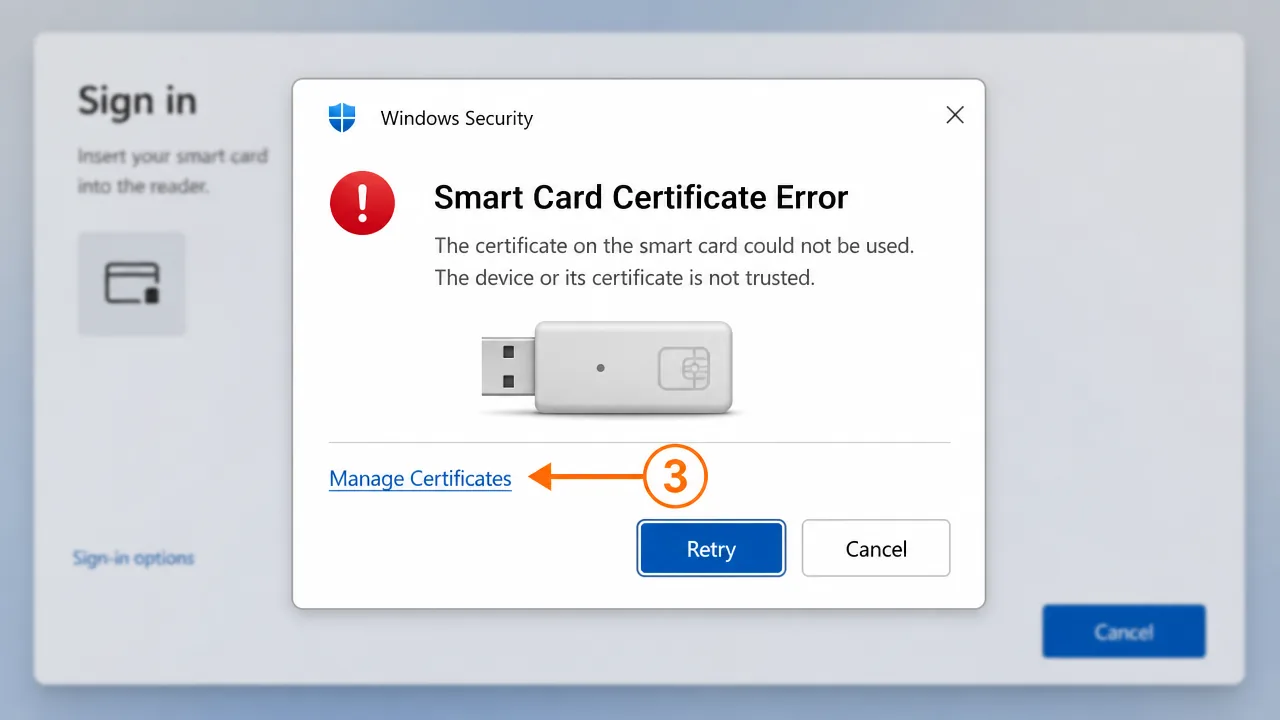
A smart card certificate error in the US usually means the card's certificate isn't reaching the application cleanly — a middleware or driver problem, a reader not detected, or a certificate the system doesn't trust. Confirm the reader and middleware first, then check the certificate propagated to Windows and its chain is trusted.
An IT helpdesk lead at a healthcare group in Illinois called me during a shift change, which is exactly when smart card problems love to appear. A clinician's card had worked all week, and now every login and every signed order threw "The smart card certificate used for authentication was not trusted." They'd swapped readers, restarted the machine, and were one step away from reissuing the card. I asked them to stop before they did something irreversible.
Smart card errors feel dramatic because they block everything at once — you can't sign in, you can't sign documents, you're just locked out. But the card is rarely the villain. The certificate lives on the card; the failure almost always happens in the layers between the card and the application: the reader, the middleware, the driver, or the trust chain.
Why smart card certificate errors happen
For an application to use your card, four things have to work in sequence. The reader has to be detected. The middleware has to talk to the chip. The certificate on the card has to propagate into the system's view. And the certificate's chain has to be trusted. A failure at any one of those looks, from the user's seat, like a single generic "certificate not trusted" error.
Here's the part most people miss: the message points at the certificate because that's the last step in the sequence, but the actual break is often two or three layers below. Reissuing the card when the real problem is a missing driver just burns time and a perfectly good credential.
The US adds its own wrinkle with PIV cards and agency-specific middleware. A machine that reads a commercial token fine may not have the middleware for a government-issued card, and vice versa. Matching the middleware to the card is half the battle.
Basic checks before you go deeper
Work from the bottom up, not the top down.
-
Confirm the reader is detected. Open Device Manager and look under "Smart card readers." No entry, or a warning icon, means you have a driver problem, not a certificate problem. Fix that first.
-
Check the Smart Card service. Open
services.mscand confirm "Smart Card" is running and set to start automatically. If it's stopped, nothing above it can work. -
Verify the middleware is installed. Confirm the correct middleware for your specific card is present. The wrong middleware — or none — means the certificate never reaches the system.
-
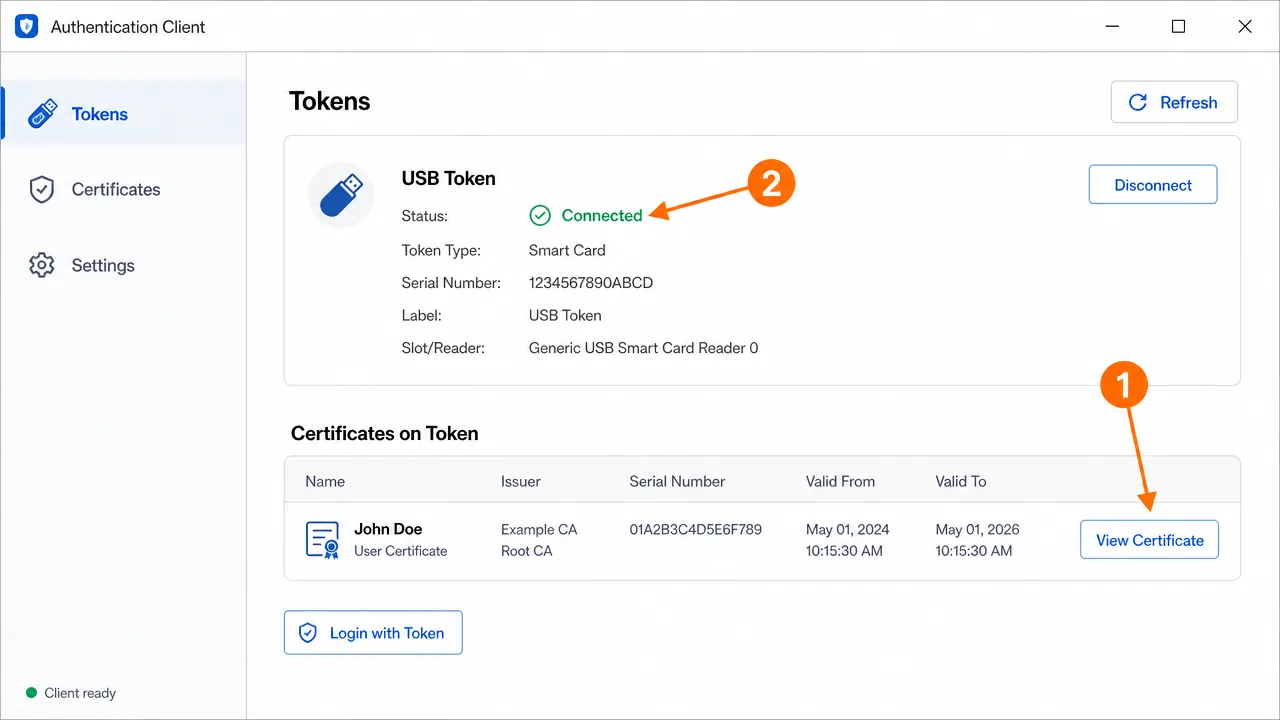
Look for the certificate in the store. Open
certmgr.mscand check whether the card's certificate appears under Personal when the card is inserted. If it doesn't propagate, the problem is below the certificate layer.
Step-by-step fix
-
Reinstall or update the reader driver. If Device Manager shows an issue, install the correct driver for the reader model. Where people get stuck: assuming Windows picked the right driver automatically when it grabbed a generic one.
-
Install the correct middleware for the card. Match it to the exact card type — commercial token, PIV, or agency card. Mismatched middleware is a leading cause of "card present but unreadable."
-
Restart the Smart Card service. After installing middleware or drivers, restart the service so it re-enumerates the card. Reinsert the card afterward.
-
Confirm the certificate propagated. Reinsert the card and check
certmgr.mscagain. The certificate should now appear under Personal. If it does, the lower layers are healthy. -
Install the issuing CA's chain. If the certificate is present but "not trusted," install the root into Trusted Root Certification Authorities and the intermediates into the intermediate store. This is the actual fix for the specific error in our opening story.
-
Clear the chain cache. Run
certutil -urlcache * deleteelevated so Windows rebuilds trust instead of reusing a stale failure. -
Check the PIN status. A locked or blocked PIN can surface as a vague card error. Confirm the card isn't in a locked state from too many wrong attempts before assuming a certificate fault.
-
Test in the actual application. Some apps read the Windows store; others use a PKCS#11 module directly. Verify where the failing application looks for the card, not just that Windows sees it.
A case where the obvious fix didn't work
That healthcare group nearly reissued the clinician's card. We checked the layers instead. The reader was detected, middleware was installed, the certificate propagated fine, and the chain looked complete. By every obvious measure it should have worked.
The real cause was a Windows update pushed overnight that had reset the machine's trust configuration and cleared a manually installed intermediate certificate from the store. The card was flawless. The workstation had simply forgotten one link in the chain during the update. Reinstalling that single intermediate restored access instantly, and the same fix cleared it on the other machines the update had touched. Reissuing the card would have "worked" by coincidence and taught them nothing.
An edge case people miss
Applications that bypass the Windows store are the classic trap. A signing tool or a VPN client may use a PKCS#11 module to talk to the card directly, ignoring the Windows certificate store entirely. So the card can be perfectly trusted in Windows and still fail in that one application, because the app is pointed at a missing or misconfigured module. If everything works except one program, stop fixing the Windows store and check that application's PKCS#11 configuration.
Work the layers, not the label
The mental model that saves the most time here is treating a smart card as a stack, not a single thing. Reader, service, middleware, certificate propagation, trust chain, and finally the application — six layers, and a failure in any one of them wears the same "certificate not trusted" label at the top. The error names the certificate because that's the last link the user sees, but the break is frequently three layers down. That's why bottom-up diagnosis beats top-down panic every time.
Reissuing a card is the classic overreaction, and it's costly — it burns a working credential, takes time to provision, and often "fixes" things only by coincidence when the reissue process happens to reinstall a driver or middleware along the way. If you can see the certificate propagate into the Windows store when the card is inserted, the card and its chip are fine, and reissuing would prove nothing. Verify propagation before you ever consider replacing the card.
Why US environments add extra friction
American workplaces mix credential types in a way that catches people out. A single organization might use commercial signing tokens, PIV cards, and agency-issued credentials, each needing its own middleware. A machine perfectly configured for one card type will reject another entirely, not because anything is broken but because the matching middleware simply isn't installed. Regulated sectors like healthcare and finance add locked-down images and aggressive patching, and it's common for a Windows update or a security-baseline change to quietly reset trust configuration or clear a manually installed intermediate overnight.
That combination — multiple card types plus heavily managed machines — is why the same error can appear across a whole floor at once after a routine update, and why the fix is often a single reinstalled intermediate rather than anything to do with the cards. When several people fail simultaneously, suspect the shared environment, not the individual credentials. When one person fails while others succeed on the same card type, suspect that one machine's layers.
If none of this works
If the reader is detected, the middleware is correct, the certificate propagates, the chain is trusted, and a specific application still rejects the card, you're likely into module-level or policy territory — a misconfigured PKCS#11 path, a card-app compatibility issue, or a revocation check failing behind a firewall. That kind of layered diagnosis is hard to do blind, and it's the sort of case handled professionally. No guarantees and no card reissued out of desperation — just methodical elimination until the real break shows up.
Expected result when it's fixed
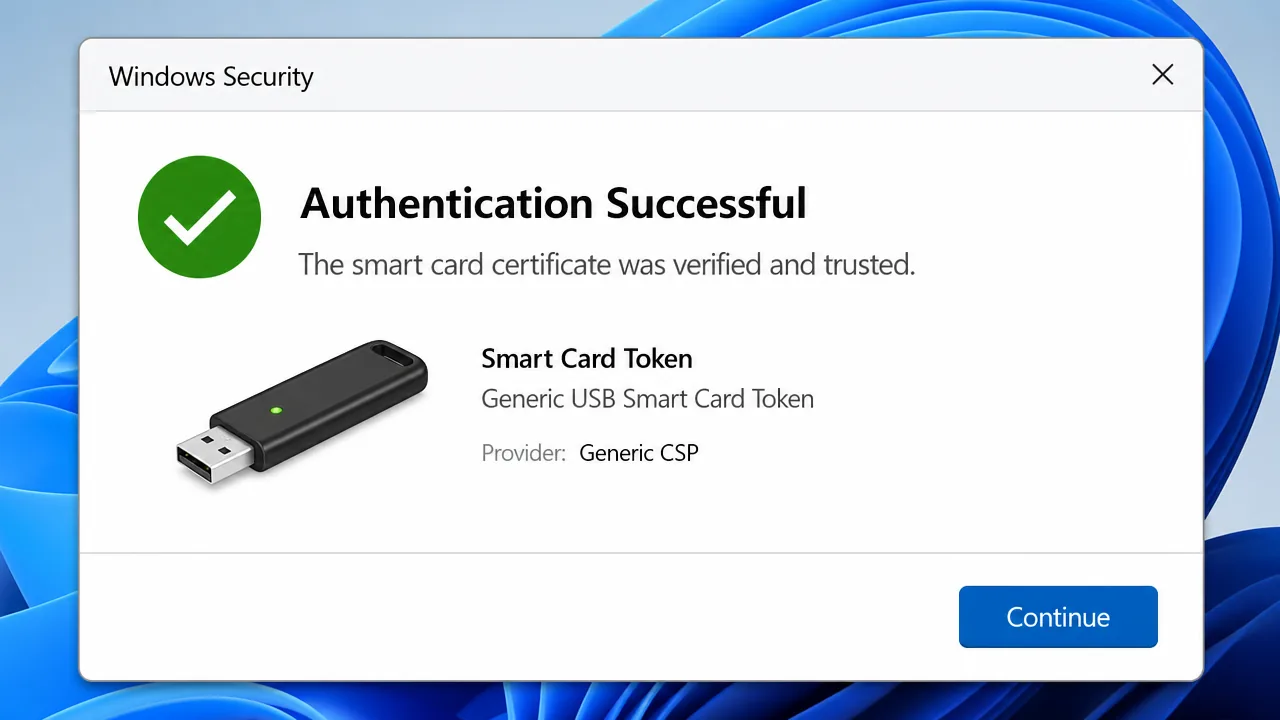
Once the reader, middleware, certificate propagation, and trust chain are all healthy, the card authenticates and signs normally. You should see a clear success confirmation rather than an untrusted-certificate error.
Frequently asked questions
Why does Windows say my smart card certificate is not trusted?
The card's certificate is reaching Windows, but the issuing authority's chain isn't installed or trusted. Install the CA's root and intermediates so Windows can build a trusted path from the card's certificate.
My smart card isn't detected at all. Where do I start?
Start below the certificate. Confirm the reader shows up in Device Manager, the Smart Card service is running, and the correct middleware is installed. A certificate error is meaningless if the card itself isn't being read.
What is middleware and why does it matter for smart cards?
Middleware is the software that lets Windows and applications talk to the specific chip on your card. Without the right middleware, the certificate on the card can't propagate to the system, so applications never see it.
Why does my smart card work in one application but not another?
Some applications use the Windows certificate store while others use a PKCS#11 module directly. If one works and another doesn't, the failing app is probably pointed at the wrong module or a missing one.
Need hands-on help?
Get expert, independent help with PKI, certificates and digital signatures over a screen-shared remote session.
Comments
Loading comments…