
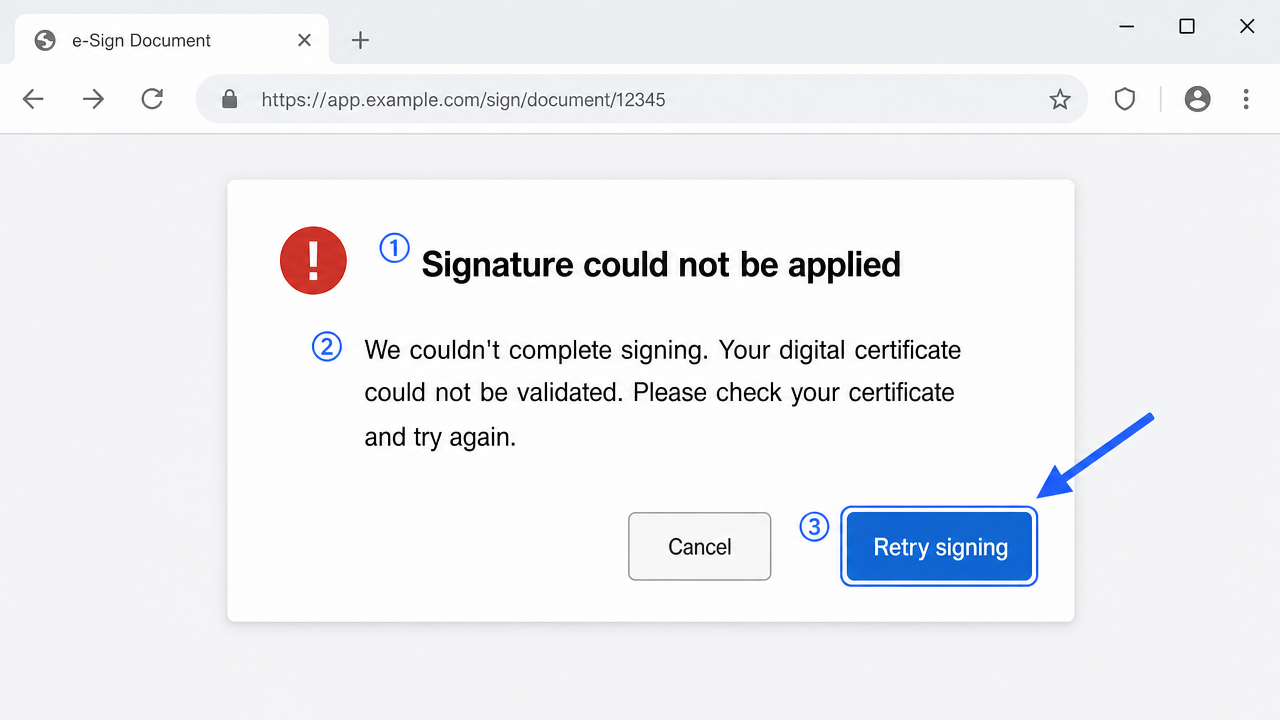
When DocuSign-style signing fails only for certificate-based signers, the break is usually in the token, the browser helper, or a security tool blocking the local connection between them. Test the certificate in a plain local app first to isolate whether the certificate or the integration is at fault.
A real-estate firm's operations manager called me mid-transaction. She had a stack of agreements to send out for e-signature before end of day, and the platform kept throwing "signature could not be applied" every time a signer with a hardware DSC tried to complete. Cloud signers sailed through. Only the certificate-based signers hit the wall. That split is the clue most people walk straight past.
When an e-signature platform says a signature "isn't working," it's rarely one problem — it's a family of them. The browser, the token middleware, the certificate, and the platform all have to agree in a single moment, and any one of them can quietly veto the whole thing. The frustrating part is how generic the on-screen message stays while the real cause could be five different things.
Why the signature fails to apply
There are two broad ways signing happens on these platforms. One is fully cloud-based, where the platform holds the signing key. The other is certificate-based, where the signature is created using a DSC on your token or in your certificate store, usually through a browser extension or a local helper application.
Certificate-based signing has far more moving parts, which is why those are the signers who fail. The browser has to talk to a local component, that component has to talk to your token, and the token has to expose a valid certificate. Break any handshake in that line and you get "could not be applied" — with no hint about which handshake broke.
Basic checks before you go deeper
Knock out the quick causes first. They fix a surprising number of cases outright.
-
Confirm the token is present and unlocked. Open your middleware and check the certificate is listed and the token isn't locked from too many wrong PIN attempts. A locked token looks exactly like a signing failure from the browser's side.
-
Use a supported browser. These platforms are picky. If certificate signing needs a specific browser or a helper extension, a fresh Chrome or Edge profile with the extension enabled clears a lot of ghosts.
-
Check the browser extension or helper is actually running. Many certificate flows depend on a small background app. If it crashed or was never installed, the browser has nothing to hand the signing request to.
-
Disable conflicting extensions. Ad blockers and privacy tools sometimes strangle the local connection the signing helper uses. Try an incognito window with only the required extension allowed.
Step-by-step fix
If the basics look fine, work through the signing pipeline in order.
-
Restart the signing helper and the browser together. Close the browser fully, quit the helper from the system tray, then relaunch both. Stale sessions between the two are a top cause, and a plain page refresh won't clear them.
-
Reconnect the token. Physically unplug and replug the USB token, then reload the signing page. Middleware caches the token context, and reinsertion forces a clean read of the certificate.
-
Confirm the certificate is valid and not expired. Open the certificate in your middleware and read the dates. An expired or soon-to-expire DSC will be refused at the moment of signing even if it appears in the list.
-
Clear browser cache for the platform. Old cached scripts from the platform can conflict with the current signing flow. Clear site data for that domain specifically, then reload.
-
Check for the local port the helper uses. Certificate helpers often listen on a local port. Security software or a second copy of the helper can occupy it. Restart the machine to release a stuck port if a simple relaunch doesn't help.
-
Test the certificate in another app. Sign a test PDF locally. If that works, your certificate and token are healthy and the problem is between the browser and the platform — narrow your focus there.
-
Update the middleware. Older middleware versions sometimes can't expose certificates to newer browser security models. A current version of your token's driver software resolves a whole class of silent failures.
-
Try a different machine as a control. If the same signer completes on a second computer, you've isolated the fault to the first machine's browser or helper setup, not the certificate itself.
The edge case people miss
Here's a case that looked impossible. A signer failed every attempt on her office laptop but signed instantly on her home laptop with the same token and the same browser. We updated middleware, reinstalled the extension, cleared everything. No change. The actual culprit was an endpoint-security agent on the office laptop that blocked the loopback connection between the browser and the signing helper — it treated localhost traffic as suspicious and silently dropped it. The certificate was never the issue; a security tool was quietly cutting the wire.
This is where the environment matters more than the certificate. On managed corporate machines, antivirus, DLP agents, and strict browser policies can block the exact local channel certificate signing depends on. The same token that fails on a locked-down work laptop will often work on a personal machine, which is precisely why "it works at home" is such a common and confusing report.
Environment quirks that change the outcome
The reason "it works at home" is such a common report is that home machines lack the security layers corporate machines pile on. A personal laptop rarely runs a DLP agent, a managed-browser policy, or an endpoint tool inspecting local traffic — all of which can silently break certificate signing without any error that names them.
Browser updates matter more than people expect too. Newer browser security models occasionally change how extensions talk to local helpers, so a signer who worked fine last month suddenly can't, purely because the browser updated overnight. On managed fleets, a forced browser policy can also strip the extension permissions the signing helper needs. When a signer fails on a work machine but succeeds elsewhere, resist blaming the certificate — line up the two environments and look at what the work machine is running that the other isn't.
If none of this works
Most "signature not working" cases come down to the token, the browser helper, or a security tool sitting in the middle — and testing the certificate in a plain local app is the quickest way to tell whether the certificate or the platform integration is at fault. Restart the helper, reconnect the token, and use a clean supported browser first.
Some cases are stubborn: enterprise security agents blocking loopback traffic, platform-side account restrictions, or middleware that simply can't meet a browser's newer requirements. If you've cleared the obvious causes and it still won't sign, that's the kind of problem we work through professionally over a screen share — watching exactly where the signing request stalls. No guarantees offered, just careful diagnosis. But start by proving the certificate itself works locally. That one test saves you from chasing the wrong half of the problem.
Frequently asked questions
Why does signing fail only for certificate-based signers and not cloud signers?
Certificate-based signing has far more moving parts — the browser must talk to a local helper, the helper to your token, and the token must expose a valid certificate. Any broken handshake in that chain fails, while cloud signing bypasses all of it.
Why does the same token work at home but not on my office laptop?
Office machines often run endpoint-security or DLP agents that block the local loopback connection between the browser and the signing helper. The token is fine; a security tool is cutting the local wire.
What's the fastest way to tell if my certificate is the problem?
Sign a test PDF locally with the same token. If that works, your certificate and token are healthy and the fault is between the browser and the platform.
Does the browser matter for e-signature signing?
Yes. These platforms support specific browsers and often need a helper extension. A clean, supported browser profile with only the required extension enabled clears many signing failures.
Need hands-on help?
Get expert, independent help with PKI, certificates and digital signatures over a screen-shared remote session.
Comments
Loading comments…