
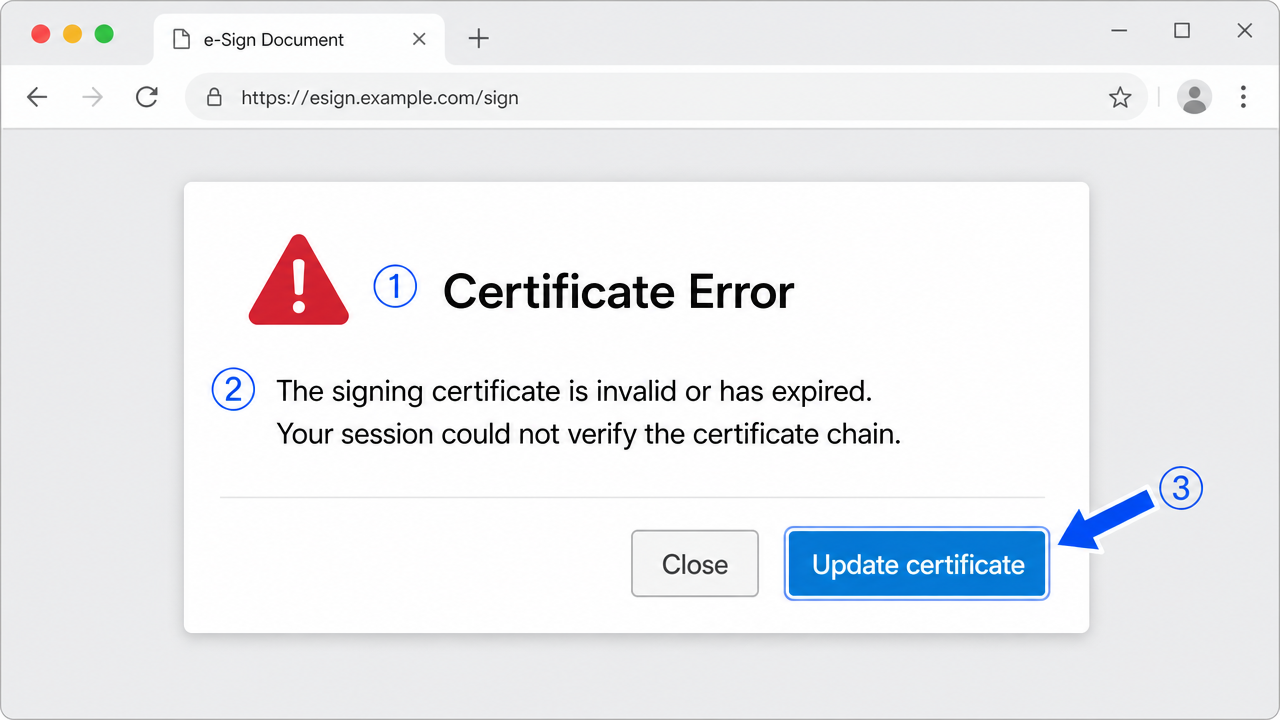
A DocuSign certificate error usually means a real expiry, a wrong clock, a stale intermediate certificate, or outdated token middleware — not a dead certificate. Read the actual validity dates and test a local signature before reissuing anything.
A startup founder was closing a funding round and needed to counter-sign an agreement through an e-signature portal. His hardware DSC had signed a dozen documents that month. On this one, the portal stopped him cold: "the signing certificate is invalid or has expired." He was convinced his brand-new certificate had somehow died overnight. It hadn't — but something in the validation path had, and that distinction is everything.
A certificate error on an e-signing platform sounds final, like the certificate is dead. In practice it's usually one of a handful of very fixable conditions: an expired or superseded cert, a broken chain the platform can't rebuild, a clock mismatch, or a browser that's mangling the certificate handshake. The message flattens all of those into one scary line, which is exactly why people panic and reissue certificates they didn't need to.
What "certificate error" really means here
The platform isn't just reading your certificate — it's validating it. That means checking the dates, building the trust chain, and often confirming the certificate hasn't been revoked. If any of those checks fails, you get a certificate error, regardless of which one actually tripped.
So "invalid or expired" can mean genuinely expired, genuinely revoked, chain-can't-be-built, or simply "I couldn't finish the validation." Lumping them together is a documentation failure on the platforms' part, honestly — the user is left guessing which of four very different problems they're staring at.
Basic checks before you go deeper
Start with the causes that mimic an expired certificate without actually being one.
-
Read the real validity dates. Open the certificate in your token middleware and check "valid from / valid to." If it's genuinely expired, no amount of troubleshooting helps — you need a renewal. If the dates are fine, keep going.
-
Fix the system clock. A machine set even a day into the past or future can push a valid certificate outside its window during validation. Turn on automatic time and time-zone sync, then retry.
-
Confirm you selected the right certificate. Tokens sometimes hold more than one certificate — an old expired one alongside the current. Selecting the wrong one produces a genuine "expired" error on a perfectly good token.
-
Try a clean browser session. Certificate handshakes are sensitive to browser state. An incognito window with only the required extension rules out cached scripts and stale sessions.
Step-by-step fix
With the basics ruled out, walk the validation path.
-
Reinstall the CA chain. Download the current root and intermediate certificates from your issuing CA and install them into the correct stores. A platform that can't build the chain reports it as a certificate error, not a chain error.
-
Clear the certificate cache. Run
certutil -urlcache * deletefrom an elevated prompt so the next validation builds a fresh chain instead of reusing a broken cached result. -
Reconnect the token and reselect the certificate. Unplug and replug the token, reload the page, and pick the current certificate explicitly. This clears stale token context that survives a mere refresh.
-
Update your token middleware. Older driver software can present the certificate in a way newer platforms reject. A current middleware version quietly fixes a lot of "invalid certificate" reports.
-
Check revocation reachability. If the platform can't reach the CA's OCSP/CRL endpoint, it may report the certificate as invalid. Confirm the network isn't blocking those URLs — office firewalls are the usual offender.
-
Test the certificate outside the platform. Sign a local PDF. If it works, your certificate is healthy and the problem lives in the platform integration or the browser, not the DSC.
-
Verify the certificate's intended use. A certificate issued only for encryption won't work for signing. Confirm the "Key Usage" actually includes digital signature — a mismatch throws a validation error that looks like expiry.
-
Retry on a second machine. If the same certificate validates elsewhere, the fault is local configuration, and you can stop suspecting the certificate entirely.
The edge case that fools people
Here's a case that wasted a full afternoon before we found it. A user's certificate threw "expired" on the portal but showed a valid future expiry date in the middleware. We reinstalled the chain, updated middleware, cleared caches. Nothing. The actual cause: the CA had re-issued its intermediate certificate mid-year, and the user's machine still trusted the old intermediate. The platform built the chain to an intermediate that had itself expired, so it declared the whole thing expired — even though the user's own certificate was fine.
The environment twist here matters. On some networks the platform can auto-fetch the new intermediate and recovers on its own; on locked-down networks that fetch is blocked, so the machine keeps failing until you install the new intermediate by hand. Two users with identical certificates get opposite results purely because of what their network allows.
Environment quirks that change the outcome
Two signers with the same CA and the same platform can get opposite results based purely on their environment, and that catches people off guard. A machine that can freely reach the CA's servers will quietly download a refreshed intermediate and validate; a locked-down machine that can't will keep failing on a stale one until someone installs it by hand.
The platform's own region and account settings add another variable. Some e-signing services enforce certificate rules that differ by account tier or country, so a certificate accepted on one account is refused on another with no local cause at all. Timestamp handling differs too — a signature relying on a live timestamp authority can fail if that authority is unreachable, even though the certificate is perfectly valid. Before assuming the certificate is the problem, confirm whether the machine, the network, and the account are all on the same page.
If none of this works
Most certificate errors on e-signing platforms come down to a real expiry, a wrong clock, a stale intermediate, or an outdated middleware — and reading the actual validity dates plus testing a local signature quickly tells you which. Renew if it's truly expired; otherwise rebuild the chain and refresh the token.
Some cases resist all of that: mid-cycle CA re-issuance, platform-side account or region restrictions, or key-usage mismatches baked into the certificate. If you've checked the dates and rebuilt the chain and it still won't validate, that's the kind of issue we handle professionally on a remote session — pinpointing which validation step is actually failing. No guarantees, just methodical work. But before you reissue anything, confirm the certificate really is expired. Nine times out of ten, it isn't.
Frequently asked questions
Does a DocuSign certificate error mean my certificate is expired?
Not necessarily. The platform flattens several conditions — genuine expiry, revocation, a chain it can't build, or a failed validation — into one message. Read the real validity dates in your token middleware before assuming expiry.
Can a wrong system clock cause a certificate error?
Yes. A machine set into the past or future can push a valid certificate outside its window during validation. Enable automatic time and time-zone sync and retry before anything else.
Why does the platform say expired when my certificate shows a future date?
The CA may have re-issued its intermediate, and your machine still trusts the old, now-expired one. The platform builds the chain to that expired intermediate and reports the whole thing as expired. Install the current intermediate.
Should I reissue my certificate to fix this?
Usually not. Confirm it's genuinely expired first. If the dates are valid, rebuild the chain, fix the clock, update middleware and test locally — reissuing is rarely necessary.
Need hands-on help?
Get expert, independent help with PKI, certificates and digital signatures over a screen-shared remote session.
Comments
Loading comments…